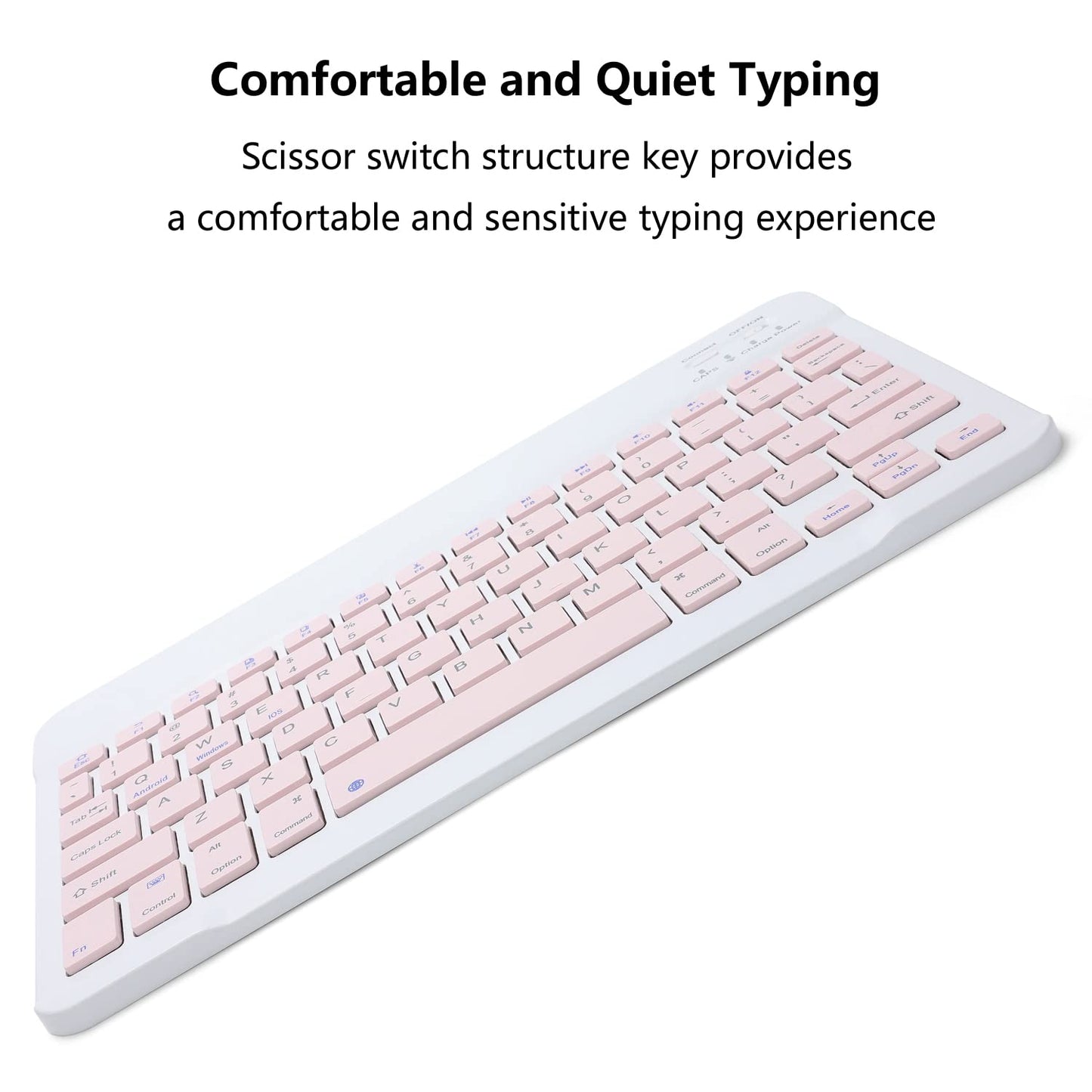


Rechargeable Bluetooth Keyboard and Mouse Combo for iPad, Ultra-Slim Portable Wireless Mouse Keyboard for iPad Pro Air Mini iPhone Samsung Tablet Cell Phone Android, iPadOS/iOS 13 and Above (Pink)
Available Offers
Pay Securely, Easily & Flexibly with Visa, Mastercard, Maestro, Amex, Union Pay, EPS,SEPA,Trustly,PayPal, PayPal Later,Klarna installment and Klarna invoice Payment
All purchases are protected with PayPal & Klarna Buyer Protection.
Free Shipping to All EU Countries
All products are shipped from our 🇩🇪 Germany and 🇪🇸 Spain Warehouses


Couldn't load pickup availability
- FREE 3-7 days delivery
- 30 Days Return Policy
- 24/7 customer service
- Premium warranty Up to 2 years
- 256 Bit SSL Certificate
- Paypal & Klarna Buyer Protection
- 100% Original Products
- Best Price
About the Product
Bluetooth Keyboard Edition: Bluetooth 5.0
Bluetooth Mouse Edition: Bluetooth 5.2
Keyboard Dimensions: 9.75 X 5.91 X 0.25 inches
Keyboard Weight: 6.56 ounces
Mouse Dimensions: 4.53 X 2.36 X 1.14 inches
Mouse Weight: 1.98 ounces
Operating Range: Up to 33 ft/ 10 meters
Keys Number of Keyboard: 78 Keys
Charging Time: 2-3 hours
The keyboard only supports Bluetooth connection
How to connect keyboard:
1: Turn on power ON/OFF switch.
2: Press CONNECT, the Bluetooth indicator will blinking.
3: Then turn on the Bluetooth switch of your tablet or mobile phone, and search for Bluetooth keyboard.
4: Choose the “Bluetooth Keyboard” on tablet or phone, then press to connect.
The mouse supports Bluetooth and 2.4GHz USB connection
Note: The Bluetooth Mouse only compatible with iPad OS/iOS 13 and above. So you need to update the system of your iPad and iPhone to iPad OS/iOS 13 and above, and turn on “Assistive Touch”: Setting> Accessibility> Touch> Assistive Touch, then connect the mouse.
How to connect Bluetooth mouse:
1: Turn on the power ON/OFF, switch to Bluetooth.
2: Then Turn on the Bluetooth switch of your tablet or mobile phone, and search for Bluetooth mouse.
3: Click the Bluetooth mouse on tablet or phone to connect.
How to connect 2.4GHz USB mouse:
1: Turn on the power ON/OFF, switch to 2.4G.
2: Then insert the USB receiver into the USB port of the notebook or computer, and then you can use it.
Package Included:
1x Bluetooth Keyboard
1x Dual Mode Mouse (Bluetooth+2.4GHz)
1x USB-C Charging Cable
Warranty: 18 months warranty, and our friendly customer service.
Shipping And Return
Delivery is FREE for all orders.
Handling time: 2 - 48 hours (Full Line has to process your order and put all your items through its strict quality-control tests.)
Orders are delivered to our customers in around 3 - 5 days with private couriers only. We have a dedicated team to keep things moving quickly, and we will keep you updated on your order via SMS, email & WhatsApp.
All our products are shipped from our warehouses in Europe: 🇩🇪 Germany and 🇪🇸 Spain
Return Guarantee
For whatever reason, if you are unsatisfied with your order within 30 days, you can return it to us in new condition.
DOA Guarantee
If your item arrives damaged, please contact us within 5 days and provide clear and valid proof. Full Line will make compensation based on the damage situation
Missing/Wrong Items Guarantee
If you receive a parcel with missing, incorrect, or secondary packing items, please contact us within 5 days of delivery and provide the relevant proof. Full Line will make compensation based on the damage situation.